
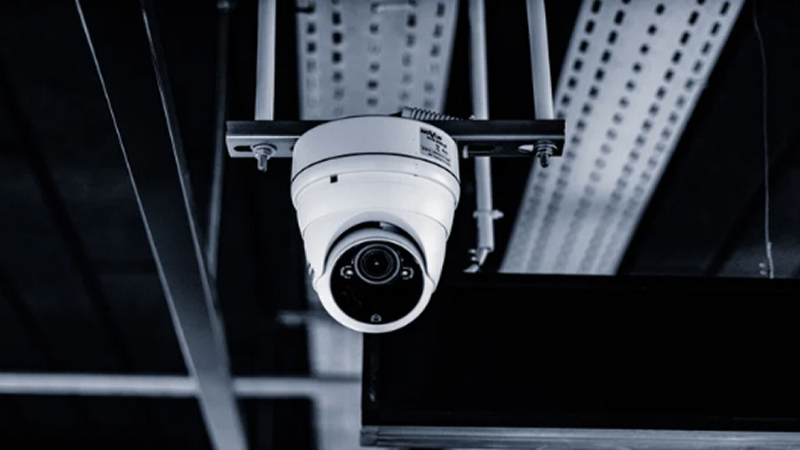
Yes. Network bottlenecks can affect the performance of IP-based business surveillance cameras by limiting how efficiently video data moves from cameras to recording, viewing, or management equipment.
A camera may be functioning correctly while the video still appears delayed, inconsistent, or lower in quality because another part of the network cannot handle the amount of traffic being transmitted. For businesses in Peoria and other commercial markets, understanding this distinction can help prevent a camera problem from being misdiagnosed when the underlying issue is actually the network supporting it.
What Is a Network Bottleneck in a Surveillance System?
A network bottleneck occurs when one part of a network has less capacity than the amount of data trying to pass through it.
Imagine several lanes of traffic merging into one narrow lane. Even if every vehicle is operating normally, movement slows because the available path cannot accommodate all of the traffic at once.
A similar problem can occur in a business surveillance system. Individual IP cameras generate video data that must travel through network cabling, switches, uplinks, and other infrastructure before reaching recording or viewing equipment.
If one portion of that route cannot handle the combined traffic, performance can suffer.
The bottleneck might involve:
-
An undersized network connection
-
A heavily loaded switch
-
An uplink carrying traffic from many cameras
-
Older or poorly configured network equipment
-
Inadequate cabling infrastructure
-
Excessive traffic sharing the same network segment
-
A connection between network rooms that lacks sufficient capacity
This is why evaluating cameras alone does not always reveal the source of a performance problem.
What Does a Network Bottleneck Look Like on Security Cameras?
Network-related problems do not always present themselves in the same way.
One facility might experience delayed live video, while another could notice choppy playback or inconsistent image quality. In some configurations, a camera or video-management system may adjust the stream when available bandwidth becomes constrained.
Possible symptoms can include:
Delayed Live Video
There is always some amount of processing between capturing an image and displaying it, but network congestion can add additional latency.
This can become particularly noticeable when someone is watching live video while attempting to follow activity in real time.
Choppy or Jerky Video
Video that pauses, skips, or appears inconsistent may indicate that data is not moving through the network smoothly.
However, choppy video does not automatically prove that bandwidth is the problem. Camera configuration, viewing hardware, software, and other factors can produce similar symptoms.
Reduced Image Quality
Some systems can reduce the bitrate to operate within the available network capacity. Depending on the configuration, this may affect image quality or frame rate.
That tradeoff matters because surveillance video is useful only when it provides enough visual detail for its intended purpose.
Slow Access to Multiple Camera Feeds
A user may be able to view one camera normally but encounter performance problems when several streams are opened simultaneously.
That can be an important clue that the issue involves aggregate network demand rather than one individual camera.
Why Do IP Cameras Use So Much Network Capacity?
An IP camera continuously converts visual information into digital data.
The amount of data varies considerably from one installation to another. Resolution is only one factor.
Bandwidth requirements can also be affected by:
-
Frame rate
-
Video compression
-
Scene complexity
-
Amount of movement
-
Number of simultaneous streams
-
Camera configuration
-
Viewing requirements
-
Recording settings
A quiet hallway, for example, can create different video demands from a busy loading dock containing constant movement, vehicles, workers, and changing lighting.
Higher image quality can also require more data, particularly when compression is reduced.
This means estimating surveillance bandwidth solely by counting cameras can be misleading.
Ten cameras do not necessarily create the same network demand in every facility.
Why Does the Number of Cameras Still Matter?
Although camera count does not tell the whole story, it becomes increasingly important when video streams converge on shared infrastructure.
Suppose a commercial building has cameras positioned throughout several areas. Cameras in each section connect to local network equipment, but their traffic eventually travels through the same uplink on the way to centralized recording equipment.
Each camera might operate well independently.
The problem appears when the combined traffic from all those cameras reaches a connection that cannot efficiently carry the total load.
This aggregation effect is one reason the network behind a professional security camera system should be evaluated as a complete path rather than as separate camera connections.
Can Adding More Cameras Create Problems in an Existing System?
It can.
A commercial surveillance system may perform well when initially installed and then become less predictable as cameras are gradually added.
For example, a business might begin with cameras covering entrances and interior areas. Later, management may decide to add coverage for:
-
A parking area
-
Loading docks
-
Inventory areas
-
Exterior doors
-
A new building addition
-
Vehicle gates
-
Additional office areas
Each expansion introduces additional traffic.
If the underlying network was designed around the original camera count, an uplink, switch, or backbone connection that once had comfortable capacity may eventually become heavily utilized.
That does not mean expansion is necessarily difficult. It simply means the network should be reviewed along with the cameras.
Businesses considering additional business video surveillance cameras should therefore evaluate the existing cabling, switching infrastructure, equipment locations, and available network capacity rather than treating every new camera as an isolated device.
Do Higher-Resolution Cameras Increase Network Demand?
Generally, higher-resolution video contains more visual information and can require more bandwidth, although compression and other settings strongly influence the actual bitrate.
That makes camera specifications only one part of the calculation.
A business upgrading older cameras may discover that its new equipment can produce significantly more detailed video. If many cameras are upgraded at once, the existing network may need to transport more data than it did previously.
Businesses should therefore avoid assuming that an older network is automatically suited to a newer camera deployment simply because the cables and switches still function.
The correct question is whether the infrastructure can support how the new equipment will actually be configured and used.
Can Switches Become a Bottleneck?
Yes.
Network switches connect cameras and other devices and direct traffic through the network. Each switch has limits related to its ports, uplinks, switching capacity, and configuration.
A common surveillance design may have several cameras connected to one switch. Traffic from those cameras then travels through an uplink toward another switch, recorder, server, or network location.
The camera-facing ports may have adequate capacity individually while the shared uplink becomes the constrained point.
For example, several groups of cameras may feed into separate switches but eventually share one backbone connection. In that situation, the relevant question is not only how fast each camera port operates but how much combined traffic must pass through the shared connection.
Switch placement also matters.
Large commercial properties may use multiple network rooms so devices can connect closer to where they are installed. Connections between those rooms must then be capable of carrying the traffic generated by all of the devices they serve.
How Can Cabling Affect a CCTV Surveillance System?
Cabling is another fundamental part of network performance.
IP cameras depend on the physical infrastructure between the camera and network equipment. Cabling that is damaged, improperly terminated, unsuitable for the application, or routed beyond appropriate design limitations can create problems even when cameras and switches are operating correctly.
The backbone connecting network areas deserves particular attention in larger properties.
A small office with cameras located relatively close to the main network equipment has different requirements from a warehouse, school, healthcare property, industrial building, or multi-building site.
As distances increase and more traffic converges between network locations, fiber optic backbone connectivity may become appropriate.
Fiber does not necessarily need to run directly to every camera. A design may instead use fiber between major network locations and copper connections from nearby switches to individual cameras.
The appropriate architecture depends on distance, pathways, equipment, power requirements, existing infrastructure, and system design.
Can Other Business Network Traffic Affect Surveillance?
Potentially.
Surveillance traffic does not always operate in complete isolation from other network activity.
Depending on the design, cameras may share infrastructure with other business devices or applications. If network segmentation, bandwidth planning, or switching capacity is inadequate, periods of high usage elsewhere on the network can contribute to performance issues.
This is especially relevant in facilities that depend heavily on network connectivity for operations.
A warehouse, for example, may use network infrastructure for cameras, wireless devices, inventory systems, business applications, and other connected equipment.
The goal is not necessarily to build a completely separate physical network for every function. Rather, network design should account for the traffic and operational requirements of the systems being supported.
Is Every Video Problem a Bandwidth Problem?
No, and assuming it is can lead to unnecessary changes.
Surveillance performance can be influenced by many factors besides network capacity.
Possible causes include:
-
Camera configuration
-
Recording settings
-
Video-management software
-
Storage performance
-
Client computer performance
-
Network configuration
-
Damaged cabling
-
Power issues
-
Firmware
-
Hardware faults
-
Internet connectivity when remote viewing is involved
That is why troubleshooting should begin by defining the problem precisely.
Is one camera affected or many? Does the issue occur only during live viewing? Does recorded footage show the same behavior? Does performance change when multiple streams are opened? Did the issue begin after additional cameras were installed?
Those details help narrow down where the problem is likely occurring.
What Should Businesses Check Before Expanding Their Surveillance System?
A surveillance expansion is a good opportunity to review the supporting network rather than simply attaching additional cameras.
Existing Camera Count
Document how many cameras are currently operating and where they connect.
Planned Additions
Determine how many cameras may be added and which portions of the property they will cover.
Camera Requirements
Consider the expected resolution, frame rate, recording approach, and viewing needs.
Switch Capacity
Review how cameras are distributed across switches and where their traffic converges.
Backbone Connections
Identify the links connecting network rooms, floors, buildings, or major areas of the property.
Cable Routes and Distances
Actual cable pathways can be substantially longer than straight-line distances shown on a floor plan.
Recording Location
Determine where footage needs to travel and whether all camera traffic eventually converges at centralized equipment.
Future Growth
A network designed only around today’s requirements may require significant modification when additional cameras are introduced later.
This type of assessment can be useful whether a property uses a smaller CCTV surveillance system or a larger commercial video architecture.
What About Remote Viewing?
Remote viewing introduces another layer to the performance discussion.
Inside a local commercial network, video travels through the site’s internal infrastructure. When an authorized user accesses feeds remotely, internet connectivity and external network conditions also become relevant.
A system can therefore perform well locally while remote viewing appears slower.
Conversely, poor local network design cannot always be solved by upgrading internet service.
The distinction is important because “the cameras are slow” can describe several entirely different technical situations.
Determining whether the delay originates at the camera, local network, recorder, viewing device, or internet connection helps prevent unnecessary troubleshooting.
How Should Peoria Businesses Approach Surveillance Network Planning?
Commercial properties in Peoria vary widely in layout and operating requirements. An office suite, warehouse, healthcare facility, school, and multi-building commercial property should not be expected to use identical surveillance architecture.
The most useful starting point is to understand the site itself.
Businesses should consider where cameras are needed, how far they are from network rooms, where traffic will converge, what existing cabling is available, and whether the system is likely to expand.
A business surveillance system should be planned as infrastructure rather than as a collection of individual cameras.
That becomes increasingly important as facilities grow and surveillance coverage extends across larger distances or multiple areas.
Reliable Video Starts With the Network Behind the Cameras
Modern cameras can provide high-resolution video, remote viewing, event-based recording, and other useful capabilities, but those features still depend on the infrastructure carrying the data.
When bandwidth is insufficient, switches are overloaded, cabling is inadequate, or backbone connections are poorly matched to the system’s requirements, camera performance can be affected even when the cameras themselves are working correctly.
Businesses planning a commercial surveillance system should therefore evaluate the complete signal path: camera, cable, switch, backbone, recording equipment, and viewing environment.
Doing so makes it easier to distinguish a genuine camera problem from an infrastructure limitation and provides a stronger foundation for future expansion.
About SharpLink Communications
SharpLink Communications is based in Surprise, Arizona, and serves Greater Phoenix communities including Peoria with commercial low-voltage infrastructure, fiber optic cabling, structured cabling, and security and surveillance systems. The company identifies itself as licensed, insured, and bonded and can be reached at 602-898-4060; businesses can also find their office on Google Maps.